Reviews

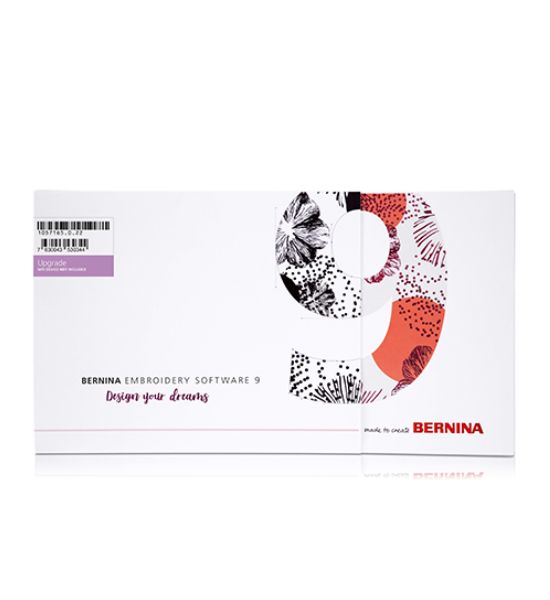
V9 Upgrade to DesignerPlus with Wifi Device

Save $350.00
BerninaSKU: 105716.50.02

Available at our Fresno, CA showroom


This model is not available for online checkout.
Visit our showroom for special dealer pricing, exclusive in-store offers, or trade in pricing.
Get Directions
Call (559) 439-2560

Unlock Free Shipping: Requirements You Must Meet
Fast Free Shipping
Free Shipping to california on orders over $49
Free Shipping on all Nationwide orders over $99
Easy 30-day returns
Shop risk-free with easy returns
Price Match Guarantee

Reviews

Send your design to the machine with a single click

  • Thanks to the new WiFi Connector
  • Wireless transfer of designs
  • So easy and convenient

Thanks to WiFi functionality, you can transmit your embroidery designs to the embroidery machine. Whenever you are ready to embroider your design, start the process with just one click. Either to a BERNINA embroidery machine with integrated WiFi functionality or, with the help of the BERNINA WiFi Device, to almost any embroidery machine with a USB port.

Easy installation

  • Improved installation process
  • Easy and flexible!
  • Use software on multiple computers

Installing BERNINA Embroidery Software 9 has never been easier or more flexible thanks to the improved installation process. In a snap, the software is installed on your computer. Plus, you can use the software on multiple computers just by signing in and out.

Neat and smart home screen

  • With helpful tutorials
  • Direct access to the help section
  • Browse through new projects

Upon opening BERNINA Embroidery Software 9 you will notice an informative and interactive home screen that offers links to tutorials, new projects and resources.

Customize anything you want

  • Alter embroidery designs limitlessly
  • Special fill effects, change colors, etc.
  • New Branching and Weld tools

Create your unique graphic designs

  • With the newest version of CorelDraw
  • Choose from many designs
  • Afterwards send it to the WiFi Connector

If you wish to start with a new graphic, simply open the newest version of the graphic program CorelDraw SE – and get your own drawings in a breeze. In both levels many new graphics have been added that you can choose from. Once the design is open use the new features to have fun creating, editing and designing your personal embroidery design to prepare for sending it via WiFi connection to your embroidery machine.

Alter an embroidery design according to your desires and without limits. The Full Editing feature offers the new Branching and Weld tools. With the Branching tool you don’t have to think about the most efficient stitching sequence and connectors as this function does it for you. Digitizers often want to combine or weld objects into a single object which is easy with the new Weld tool.

Clear interface and improved features

  • Intuitive and easy to manage
  • Small or large icons for a perfect view
  • Open more than one design at a time

All the incredible software features are easy to use and navigate with the user-friendly interface. The menu is intuitive and easy to manage. You have the choice between small or large icons for a perfect view and the tool names and functions can be displayed if desired. Open more than one design at a time and easily switch between designs.

Digitize your handwriting

  • And expand your lettering capability
  • Type alphabet designs on screen
  • Five additional Keyboard Design Collection fonts

Thanks to the new Keyboard Design Collection, you can expand your lettering capabilities limitlessly. With this versatile new feature, you can map existing alphabet designs to the keyboard, so you can type them directly on screen. No more combining designs one by one! You can even digitize your handwriting or your own alphabets from scratch! Furthermore, five additional Keyboard Design Collection fonts are included.

Easy positioning

  • Move and rotate the design
  • For a perfect embroidery placement
  • Advanced preview options

The positioning feature makes it easy to place designs where you want them. Just set the design worksheet and add a template to your preview, then move and rotate the design within the hoop and use the advanced print preview options. Use the hoop template and basting stitch markers for the exact positioning.

our favorite image as embroidery design

  • Updated auto-digitizing
  • Enhanced manual digitizing
  • Few clicks, ready to stitch!

Take artwork and turn it into an embroidery design – all done by using the powerful, updated Auto-Digitizing and Manual Digitizing tools. In just a few clicks your artwork is ready to stitch. With Manual Digitizing you can create your embroidery design from a sketch and digitize it manually. This allows even more flexibility right from the beginning.

One-of-a-kind appliqués

  • With just one click
  • Convert any shape
  • Convert any closed shape

Enjoy the extended tools to create appliqué and convert any shape into an appliqué design with just one click. Even creating appliqué with holes inside is possible with ease. Want to cut the fabric with the CutWork tool or a cutting machine?
No problem as you can save an extra cutting file directly from the embroidery canvas.

Choose from many built-in font designs

  • Over 100 embroidery fonts
  • Suggested size is already included
  • Use True and Open type fonts 

With the BERNINA Embroidery Software 9 you will get over 100 fonts – with some modern handwritten style fonts included. To ensure the best quality, the recommended size for each font is displayed in the dialog box. And there are even more improvements: The font preview size is now changeable from small to large. The font selection window shows recently used fonts at the bottom for more ease of use.

Manage your designs in the design library

  • Browse through various designs
  • Load your designs into the library
  • From library to WiFi Device/WiFi-capable machine in one click

This powerful integrated design library ensures quick access to all designs and provides enhanced design management. It makes it easy to browse, group and search for designs or get inspired. From here you can also directly send your designs to the WiFi-enabled embroidery machine or to the BERNINA WiFi Device for stitch-out.

3D Embroidery

  • Embroider your favorite photo
  • 3D effects for embroidered letters
  • Enhanced CutWork function

The Color Photo Stitch and Automatic Digitizing features turn your favorite photo into a detailed embroidery design in just a few steps. With Puffy Lettering add outstanding 3D effects to embroidered letters and with the enhanced CutWork function create beautiful Eyelet Embroidery and Appliqué. The Globe Effect turns flat embroidery into a 3D design and with Couching create stunning 3D effects in combination with wool.


Product Warranty InformationAt Authorized Vac and Sew, we stand behind the quality of the products we sell. Every sewing machine purchased from us comes with a 1-year warranty covering all parts and labor through Authorized Vac and Sew for added peace of mind. Extended warranty options are also available for select models.Below, you’ll find warranty details for various product categories. If you have any questions about warranty coverage or would like to explore extended warranty options, please contact us at (559) 439-2560 or email us at Customerservice@authorizedvacandsew.comManufacturer WarrantiesMost products sold by Authorized Vac and Sew are covered by the original manufacturer’s warranty. Warranty terms vary by brand and product type. Below is a general guide to what is typically covered:Sewing Machines & Embroidery Machines

  • Bernina: Up to 20-year limited warranty (parts), 5-year electrical2-year labor.
  • Baby Lock: Up to 25-year limited warranty (parts), 10-year electrical1-year labor.
  • Brother: Varies by model; typically 25-year limited warranty on chassis, 5-year electrical1-year labor.
  • Janome: Up to 25-year limited warranty (parts), 5-year electrical1-year labor.
  • Handi Quilter: Up to 10-year limited warranty (parts), 5-year electrical1-year labor.

For full details on a specific brand's warranty, please refer to the manufacturer’s website or contact us for assistance.Vacuum Cleaners

  • Miele: 7-year warranty on motor, 1-year on parts and labor.
  • Riccar: Varies by model, typically 4-8 years on motor and 1-3 years on parts.
  • Simplicity: Up to 5-year warranty on motor and parts.

Furniture & Accessories

  • Arrow & Kangaroo Cabinets: 3-10 year warranty depending on the product.
  • Sew Steady Tables: Limited 1-year warranty on manufacturing defects.
  • AccuQuilt Cutters & Dies: 1-year warranty on defects.

What’s Not Covered?

  • Normal wear and tear
  • Misuse, neglect, or improper maintenance
  • Damage caused by unauthorized repairs
  • Commercial use of household machines (unless otherwise stated in warranty)

How to File a Warranty ClaimIf you experience an issue covered under warranty:

  • Locate your purchase receipt – Proof of purchase is required.
  • Contact the manufacturer – Many brands require direct warranty claims.
  • Contact Authorized Vac and Sew – If you need assistance with your warranty claim, call us at (559) 439-2560 or visit our store.

Online Warranty Claims Notice

For all online warranty claims, customers must contact our store first to begin the warranty process.

Troubleshooting & Evaluation
All warranty claims will begin with phone troubleshooting conducted by our in-house service technicians. Many issues can be resolved remotely without the need to ship the machine. If our technician determines that the machine requires physical inspection or repair, the following applies:

Shipping Responsibility
• The customer is responsible for shipping the unit to our service department for inspection.
• Once the issue is confirmed to be covered under warranty, all warranty-approved parts and labor will be provided at no cost to the customer.
• After repairs are completed, we will cover the return shipping back to the customer at no additional charge.

Warranty Void Clause
Any warranty will be immediately void if the customer opens the machine housing or casing, adjusts, modifies, or tampers with internal components, attempts self-repair, or allows unauthorized service or repairs. This includes, but is not limited to, altering or adjusting electrical components, timing, tension assemblies, motors, circuit boards, or any internal mechanical parts.

Machines that show signs of tampering, unauthorized repairs, or modification will no longer qualify for warranty coverage. Any resulting repairs will be subject to standard service and labor fees.Questions or Assistance
If you have questions about your warranty or believe your machine may require service, please contact us before taking any action. Our team is happy to guide you through the proper warranty process.

Agreement
By purchasing online, you acknowledge and agree to these warranty terms and conditions and understand that failure to follow the outlined warranty procedures may result in denial of warranty coverage.

For extended service options or repairs beyond the warranty period, we offer professional servicing to keep your machine running smoothly.

You may also like

Recently viewed